
Self Care Guru Daisy Morris partners with Adobe Express ahead of International Self Care Day
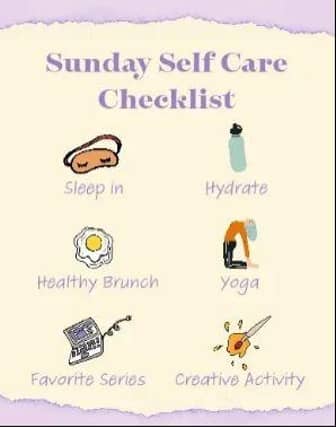

With mental wellness topping the priority list for Gen Z, self-care is no longer a luxury - it’s an essential part of everyday life. From quick skincare rituals to yoga flows, today’s next gen is weaving moments of calm and mindfulness into their busy schedules. Many are even dedicating an entire day, such as “Self-Care Sunday” or “Sunday Reset”, to unwind, recharge, and set intentions for the week ahead.
But with so much advice out there, how can you make your self-care routine truly yours? With International Self Care Day coming up on Thursday 24th July, the quick and easy create-anything app – Adobe Express – can help design your own personalised self-care posters and checklists. With vibrant colours, inspiring images, and motivating text, anyone can visualise and manage their wellness journey in a way that feels authentic and fun.
Social media guru and the founder of The Selfhood, Daisy Morris, has pulled together a whole host of Tips & Tricks for Creating Your Self-Care Visuals with Adobe Express:
- Figure out what self-care means to you: Make sure this feels really personal to what makes you feel good. It could be time with friends, making your favourite brunch or connecting with nature. This should be your reference point to bringing this to life visually.
- Browse the template library: Get creative with it! Explore the templates available in Adobe Express - there are thousands you can customise in your own unique way. You could search for a calendar, a collage or a poster template. Find a layout that speaks to you and feels inspiring.
- Get funky with your fonts: The font library in Adobe Express is amazing, it’s full of retro fonts, scripted fonts, bubble fonts - you name it, it’s got it. Find the font that catches your eye.
- Bring it to life with images: There’s a whole library of images you can use in Adobe Express. Alternatively, you can also drag or upload your own images directly into Adobe Express, if you want to make it super personalised or generate your own images using the AI text-to-image feature. As a bonus, you can remove the background with a simple click of the Remove Background tool to create more of a cut-out collage style too.
- Give it some colour: If you already have brand colours you like, you can create a brand kit which is currently a premium feature, and apply the colours directly to your existing design. If you want to mix it up, you could also use the colour picking tool to extract the colours you love from existing images.
- Jazz it up a little: Add in some icons or shapes using the Design elements library in Adobe Express to inject a bit of personality into the visuals. You could overlay these on your images, use them to punctuate your text, or insert objects with generative AI
- Play around with shapes and size: Look at increasing font sizes, image shapes and icons to add your own unique spin to the composition of the visuals.
- Put it where you’ll see it! You could set your final Self-Care visual as your laptop screen saver, your phone screen saver, or even print it. The resize feature on Adobe Express will automatically resize your visuals and you can move your composition around to suit your needs!
Adobe Express empowers next gen to take control of their mental wellness, making routines more engaging and motivating. Whether it’s a colourful checklist for a Sunday Reset, a calming vision board, or a daily affirmation poster, the creative possibilities are endless and accessible for all.